
Permit and inspection tracking
Every Morning, Know What the City Still Wants.
Your permits live on the city’s portal, and somebody has to remember to go look. Topout Permit Tracker reads it overnight and puts every open permit, every inspection the city still owes you and every outstanding condition on one screen, beside your own list of what it takes to get the certificate.
For the project managers, superintendents and permit coordinators who answer for the city’s half of the schedule.
Built for South Florida cities, and we add new ones when contractors ask.
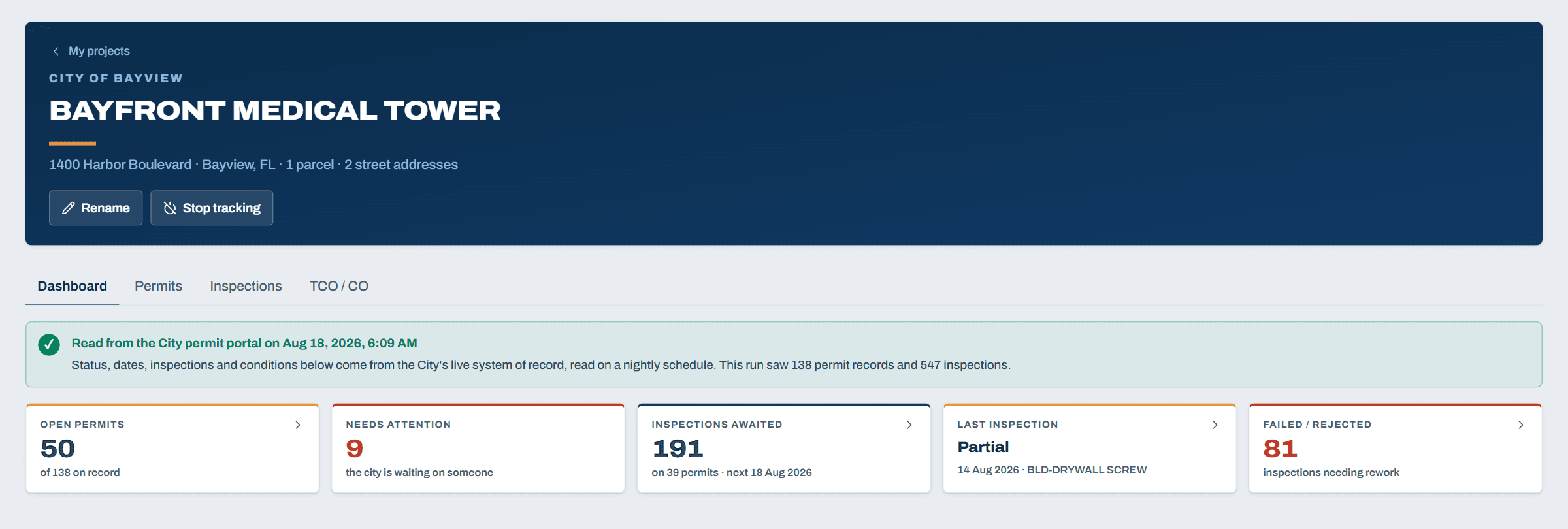
One project, the morning after the city’s portal was read.
Four Things Stand Between a Job and Its Certificate
They live in different corners of the city’s portal, and they move without telling you. Permit Tracker keeps all four in one place, per project and across the whole portfolio.
Permits
Every open permit the city holds against your address, with the ones waiting on a reply from your side pulled out of the pile.
Inspections
What is booked, what the city still owes a date for, and how each one came back once it happened.
Conditions
Outstanding conditions flagged on the permit that carries them, so a condition cannot sit unnoticed in a corner of the portal nobody opens.
The certificate
Your own list of what stands between the job and a TCO, then the final CO, with the counts kept for you.
Open permits
Every Open Permit on One Screen
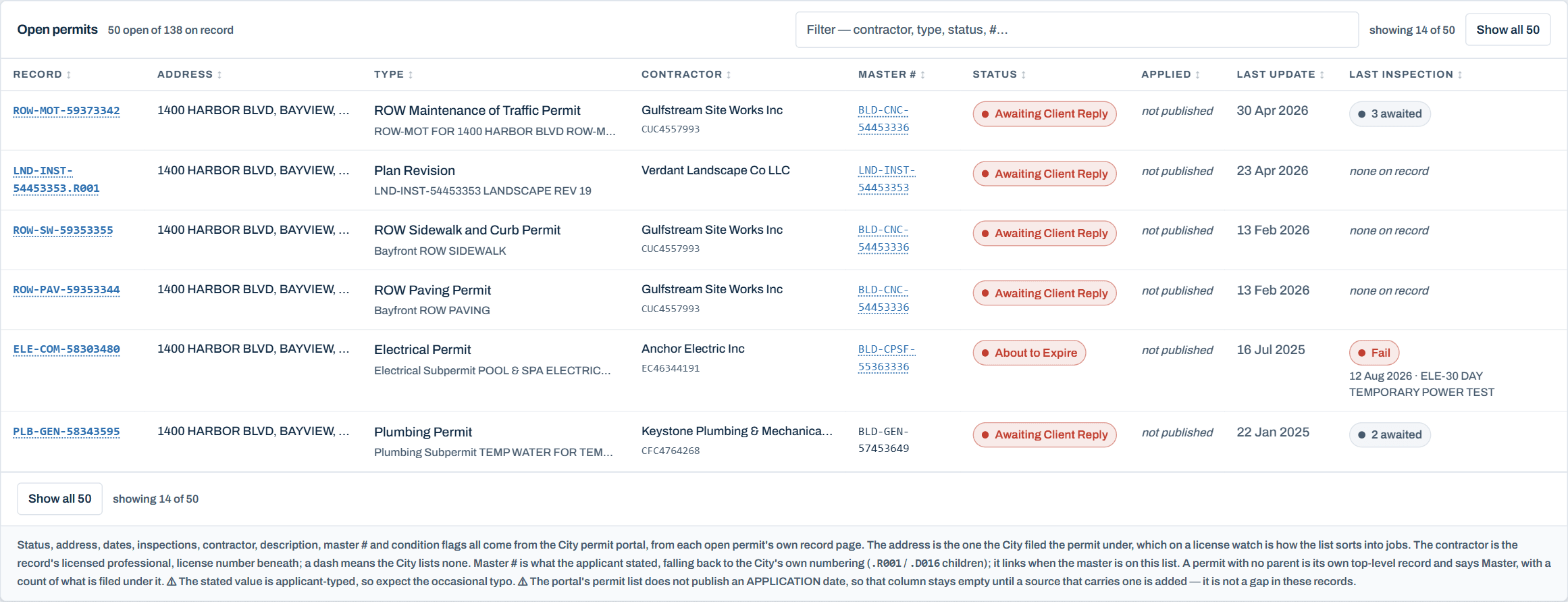
Fifty open permits on one job is ordinary, and every one of them lives on the city’s portal behind a search somebody has to remember to run. The tracker keeps the whole list in front of you: the record number, the address the city filed it under, the type, the contractor and their license, the master permit it hangs off, the status, and the day the city last touched it.
The permits waiting on your side are called out on their own. Awaiting client reply, about to expire, and the rest of the states where nothing moves until somebody responds.
Where the city publishes nothing, the column stays empty and says so. The tracker never fills a gap with a guess, and it names the fields the portal simply does not carry.
Inspections
See What Is Booked and What the City Still Owes You
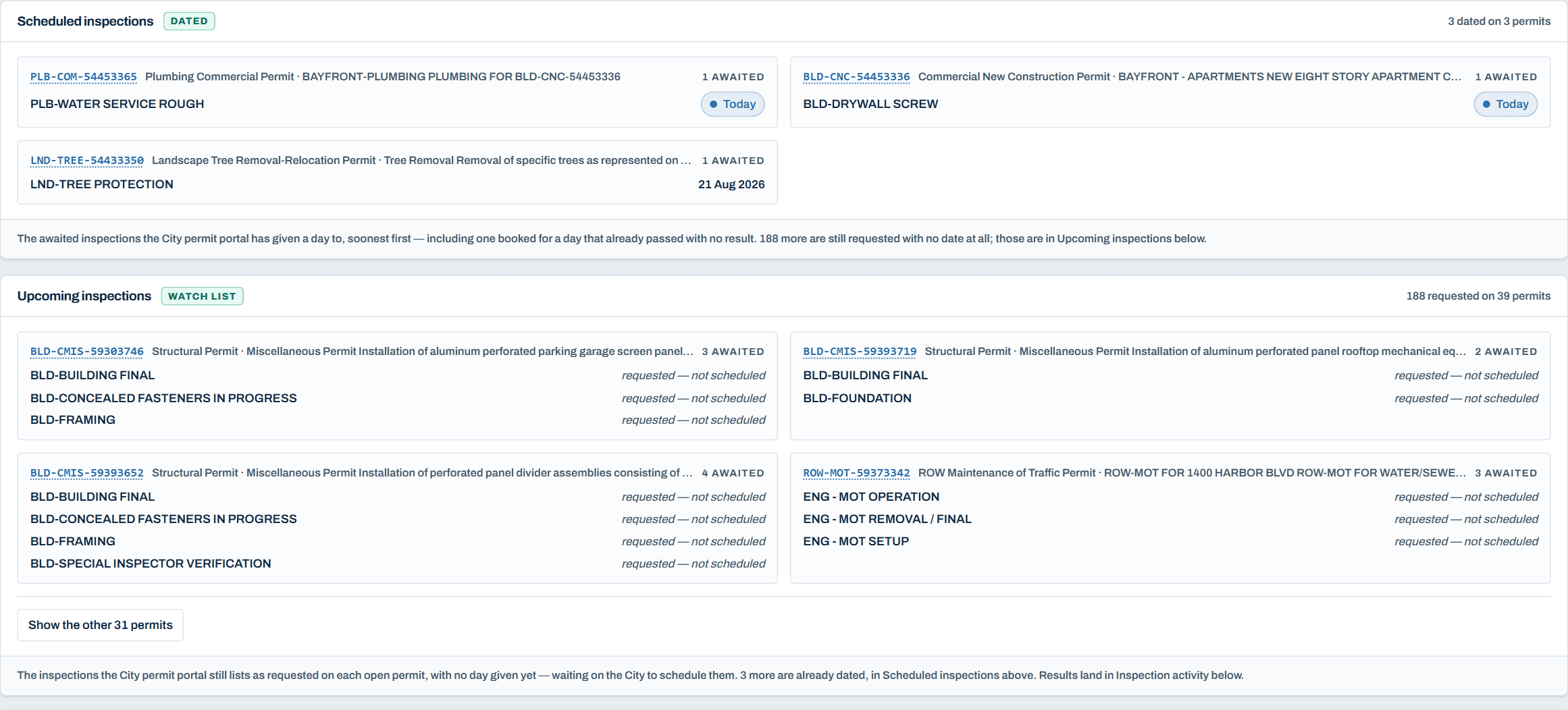
Inspections split by whether they have a date yet. Scheduled shows the ones the city has actually given a day to, soonest first. The watch list shows every inspection still sitting as requested with no date at all, which is usually the longer list and the one that quietly moves your schedule.
Results land as the city posts them: passed, failed, or partial. A failed inspection is the thing you want to know about the same morning, not the following week when somebody finally opens the portal.
TCO and CO
The List That Gets the Building Its Certificate
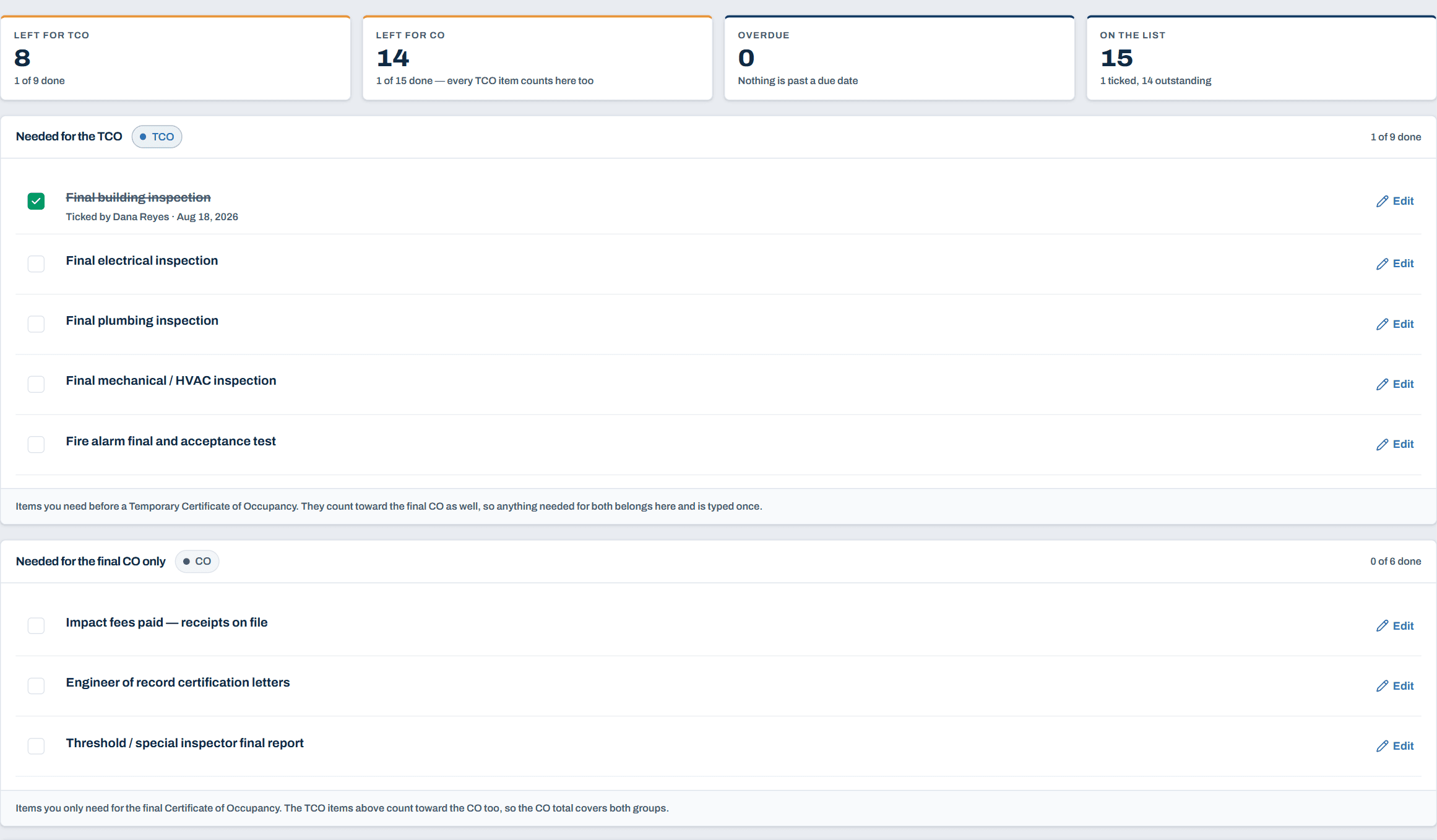
Permits and inspections are the city’s record. The certificate is your problem. The TCO / CO tab is where your team writes down what actually stands between this building and a temporary certificate, and then the final one, with a due date and a note wherever it helps.
Tag each item with the earliest certificate it is needed for and the counts follow: what is left for the TCO, what is left for the CO, what is overdue, what is on the list. You can start from a common set of closeout items and edit it down, because what a building needs varies by city, by occupancy and by what is in the permit set.
Nothing here ticks itself. The city’s data never moves an item, because a passed final inspection is evidence a superintendent uses to tick something off, not the tick itself. Whoever ticks an item is recorded against it.
The morning email
One Email, and Only When There Is Something to Say
Overnight the tracker reads the city’s portal for every project you follow. In the morning you get one email covering all of them, not one per job: what changed status, what got inspected and how it went, what conditions turned up.
If nothing moved and nothing broke, nothing arrives. That restraint is the point. An email from Permit Tracker always means something, so it never becomes the one people filter away. You also hear from it when a project has not been read for a while, which is the alert that catches a problem on our side before it costs you a week.
The history is written once, never edited
Every status change the tracker sees between two reads becomes a line you can go back to: what the permit was, what it became, and the day it was observed. A correction is a new line, never a rewrite of an old one. That is the record you want when somebody asks how long a permit sat in plan review, and the answer decides who pays for the delay.
A read-only link for the people who keep asking
Owners, architects and lenders all want the same status update. A company admin can turn on a public link for a project: permits and inspections, no login, no staff names or email addresses on it, and revocable the moment you want it gone.
Where it works
Built for South Florida, City by City
Every city publishes its permits differently, so each one is taught to the tracker on purpose rather than guessed at. We start where our own jobs are, in South Florida, and we add cities as contractors ask for them.
If the city you build in is not covered yet, ask. Tell us where your projects are and we will tell you honestly what it takes to read that portal and how soon we can do it.
Ask about your city →Tell Us Where You Are Building.
We will show you the tracker on a real city portal and tell you straight whether we already read the cities your projects are in.