
Construction closeout software
Close Out Your Projects Without Chasing Subs.
Automated document collection, warranty tracking, and owner turnover — built by builders who've closed out real jobs for real owners.
For general contractors, their subs, and building owners.
Hands-on sandbox pre-loaded with sample data — usually within a day.
Meridian Oaks · Closeout
Project 24018 · Closeout in progress
Warranty letter
Apex Electrical
O&M manual
Summit Mechanical
As-builts
Stucco Specialists
Final lien waiver
Coastal Plumbing
Watching due dates — no action needed from you
Closeout Compass, running itself
How it works
From Paper Chase to Permanent Record
One system for you, your subs, and your owner — simple enough to pick up in minutes.
Topped out
Your Checklist, Ready in Minutes
We set up your project with you. Add your subs quickly, or import them from Procore. Then populate the closeout checklist with what each sub owes and send email notices to all subs with one click.
Subs Submit from an Email Link
Keeping it simple for your subs: an email link, a one-time code, drag the documents in. Automatic email reminders track the remaining items.
Your Owner Gets the Record
Two ways to hand off. Give the owner a live portal: documents by category, warranty tracking, and claims routed to the right sub with you copied. Or download a clean, categorized folder and turn it over yourself. The portal's included for a year from Substantial Completion, and the owner can take it over to keep it.
Are you the building owner?
See what you get →Straight from the product
What Each Side Sees
These are real screens from a sample project, not mockups. The same three views your subs, your team, and your owner will work in.
The Subcontractor’s view
Subs Always Know What They Owe.
Their checklist shows every document they owe, grouped by category with status at a glance. When one needs changes, your note and the upload box sit side by side, so the fix comes back fast.
See the Subcontractor portal in a live sandbox →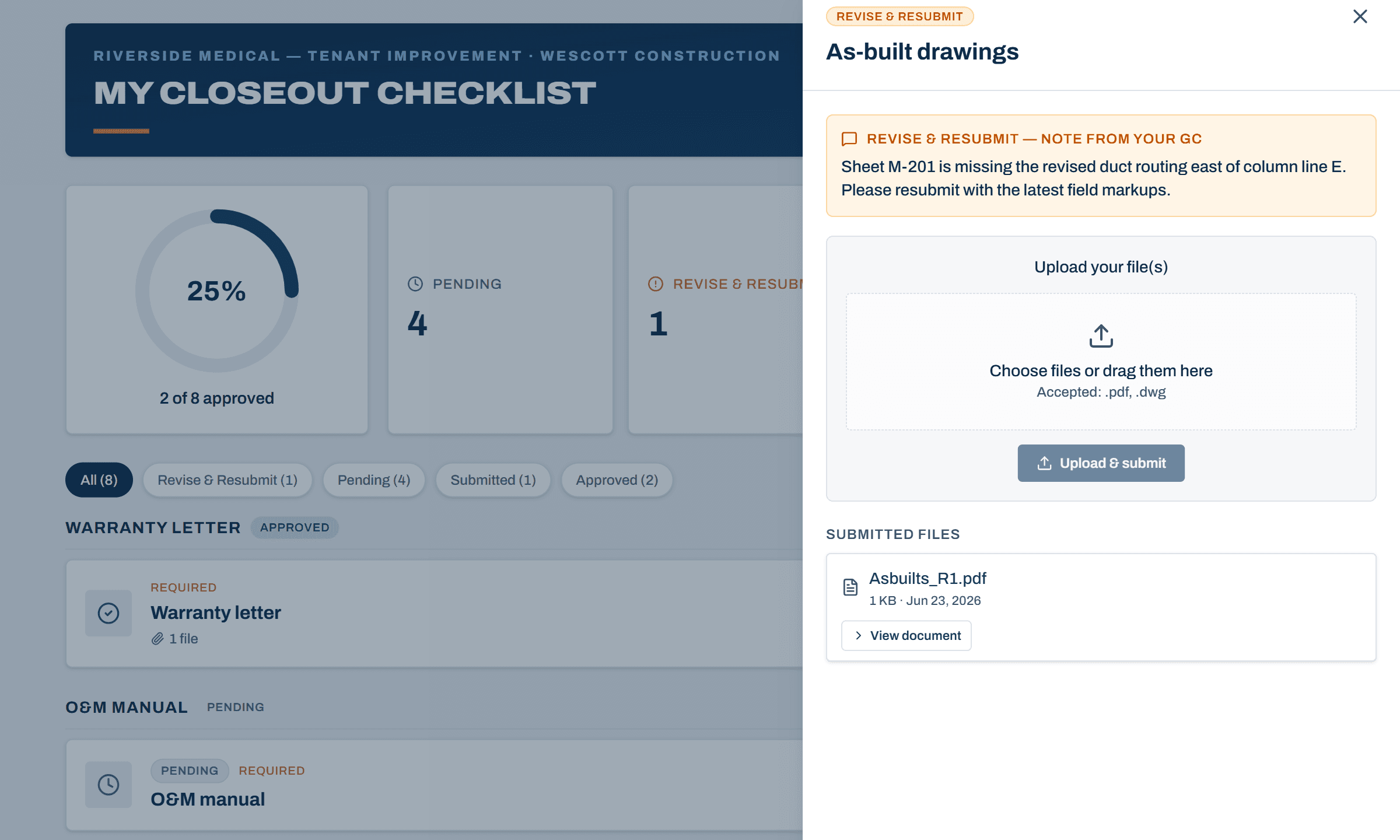
Your review
Review, Comment, and Approve Without Leaving the Page.
A submitted document opens right beside your checklist: read the PDF inline, compare revision rounds, and approve it or send it back with a note. Need redlines? Mark it up in the app or round-trip it through your own PDF editor.
Try a review in the demo →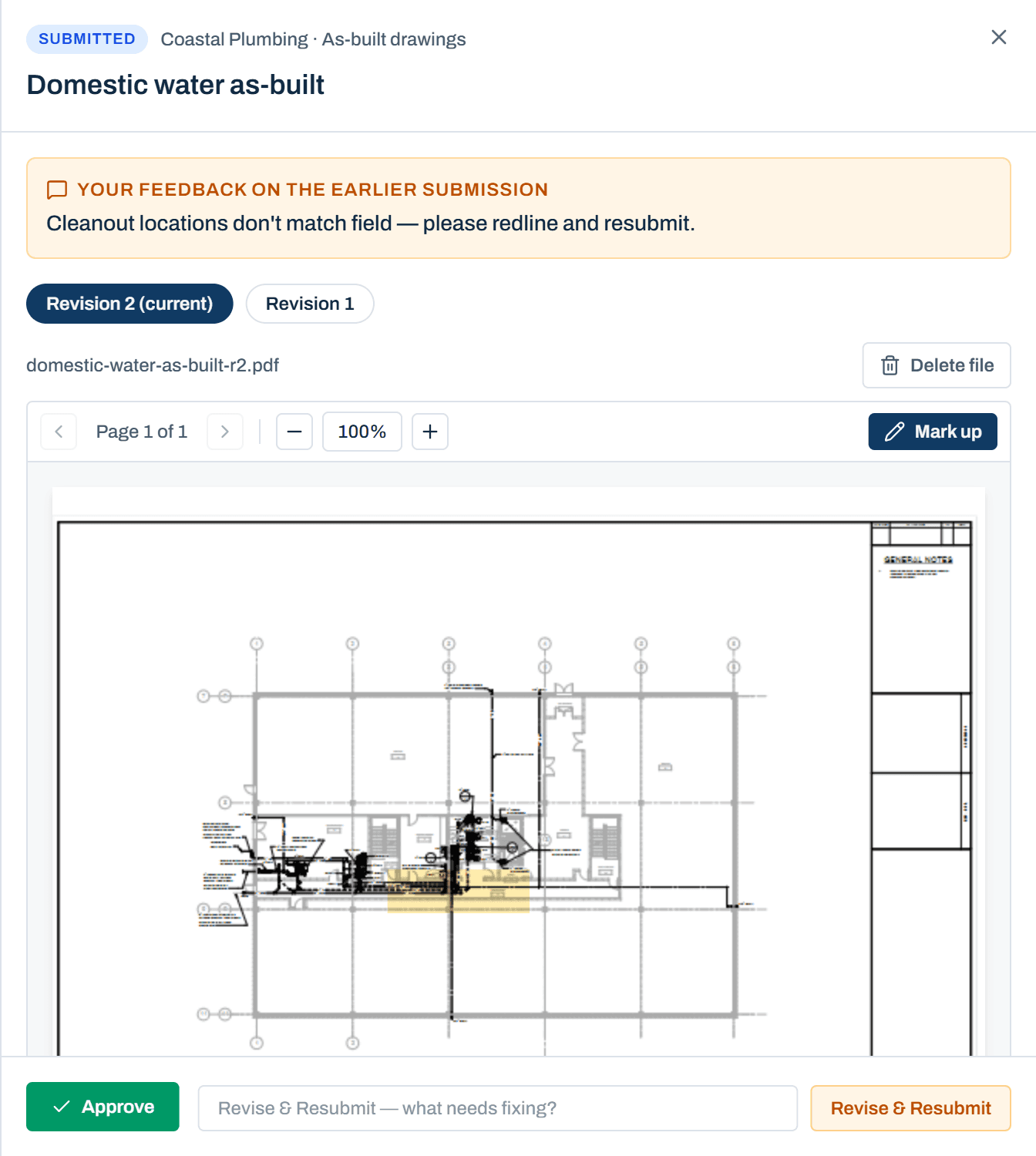
The owner’s portal
The Record Your Owner Actually Uses.
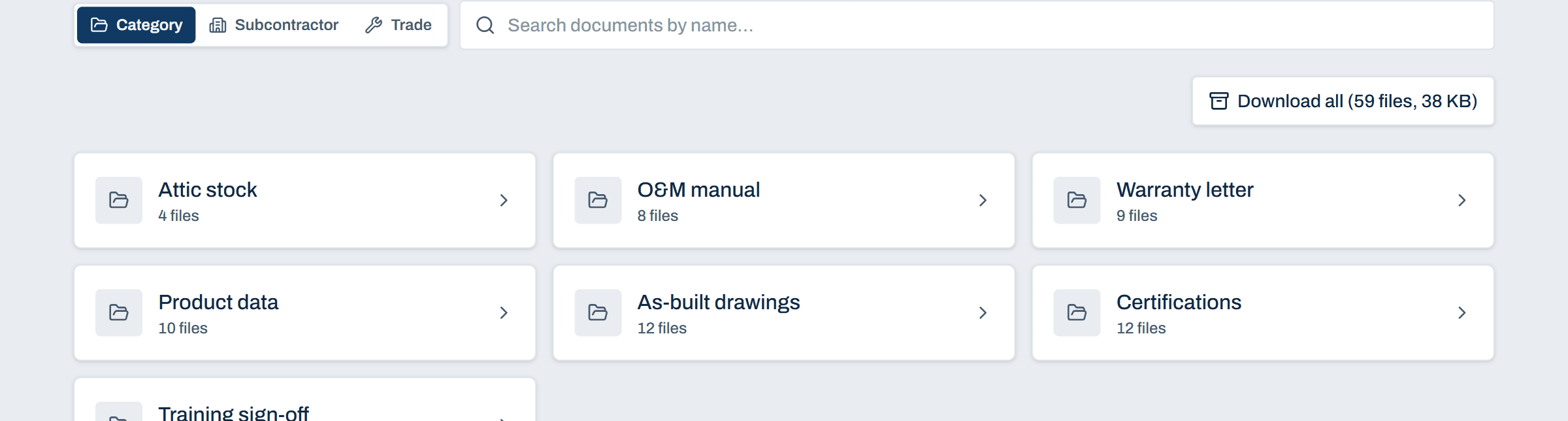
The owner gets their own portal: every approved document organized by category, warranties with live countdowns, and the trade contacts to call when something breaks. It stays live through the warranty period, so nothing dies in a binder — and when they want the whole package, one button downloads it all.
Walk through a turnover package →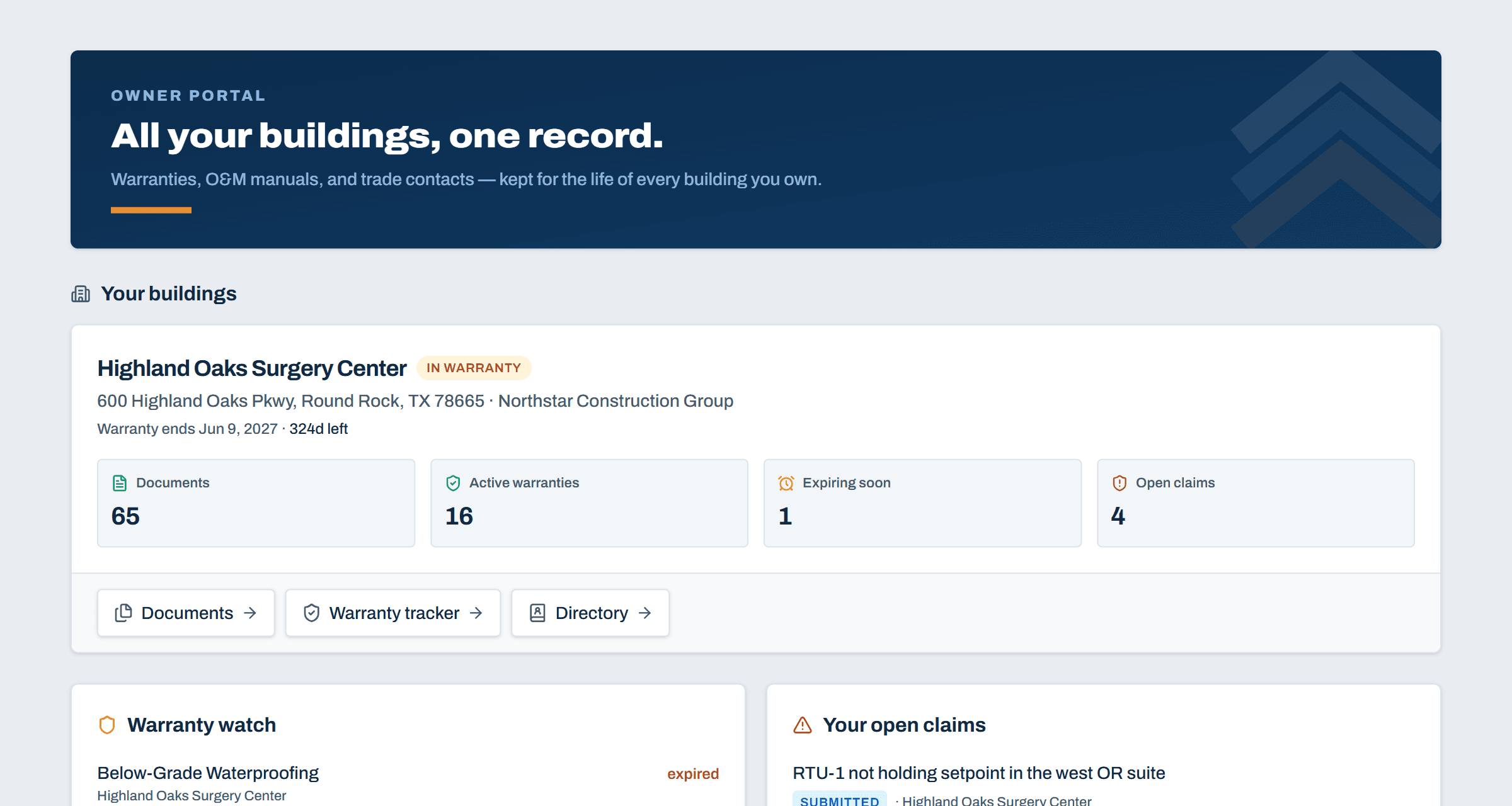
Automated follow-up
The System Chases Your Subs, Not You.
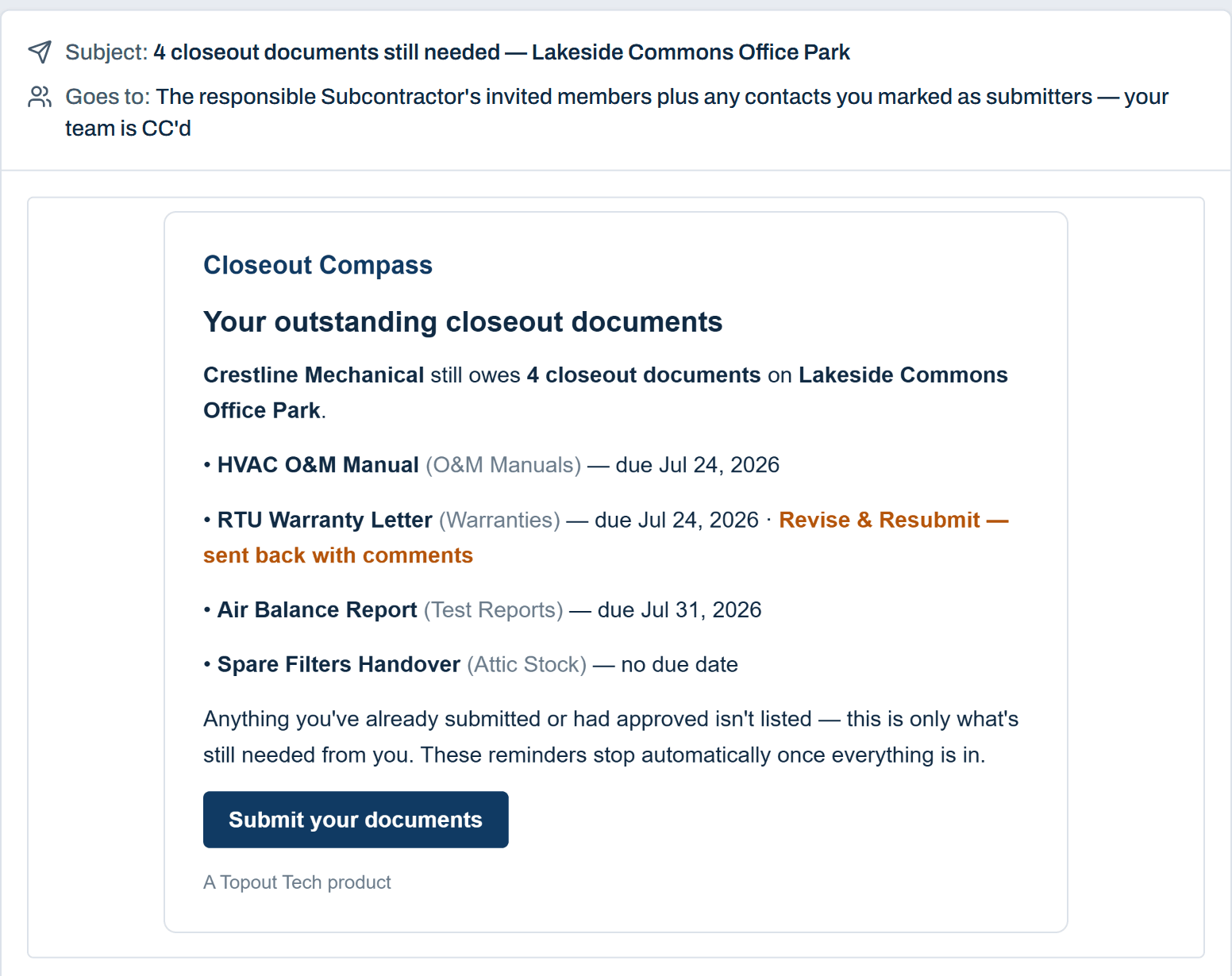
Every reminder is specific: it tells each sub which documents they still owe and when they’re due. You stop chasing; the checklist fills itself in.
Try it yourself in a live sandbox →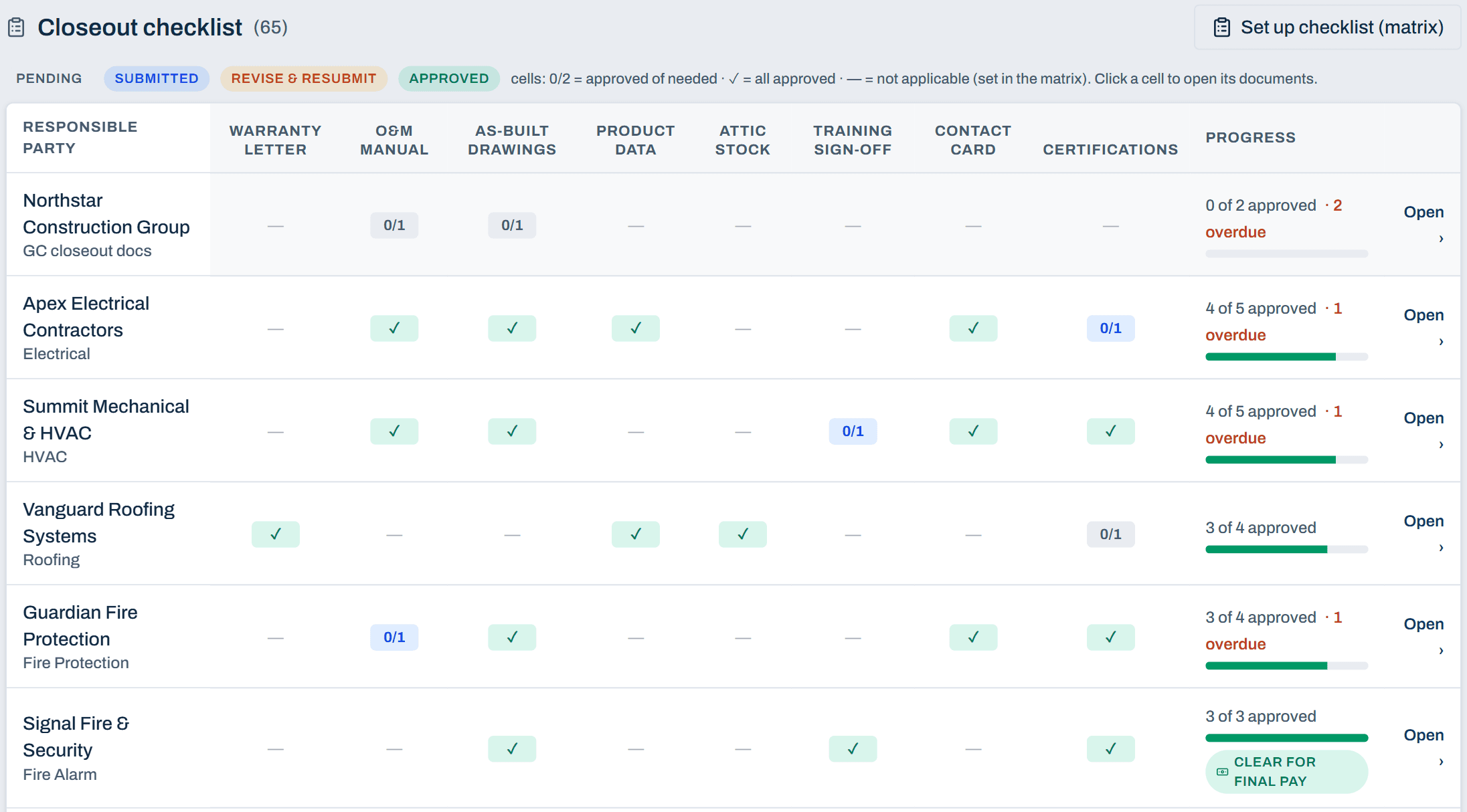
Warranty & turnover
Every Warranty Date, Remembered.
A heads-up lands 90, 30, and 7 days before each warranty lapses. The owner gets documents by category and claims that route straight to the responsible sub, you copied — no more “who do I call for the HVAC?” Included for a year from Substantial Completion, and theirs to keep if they take it over.
Explore the owner portal in the demo →
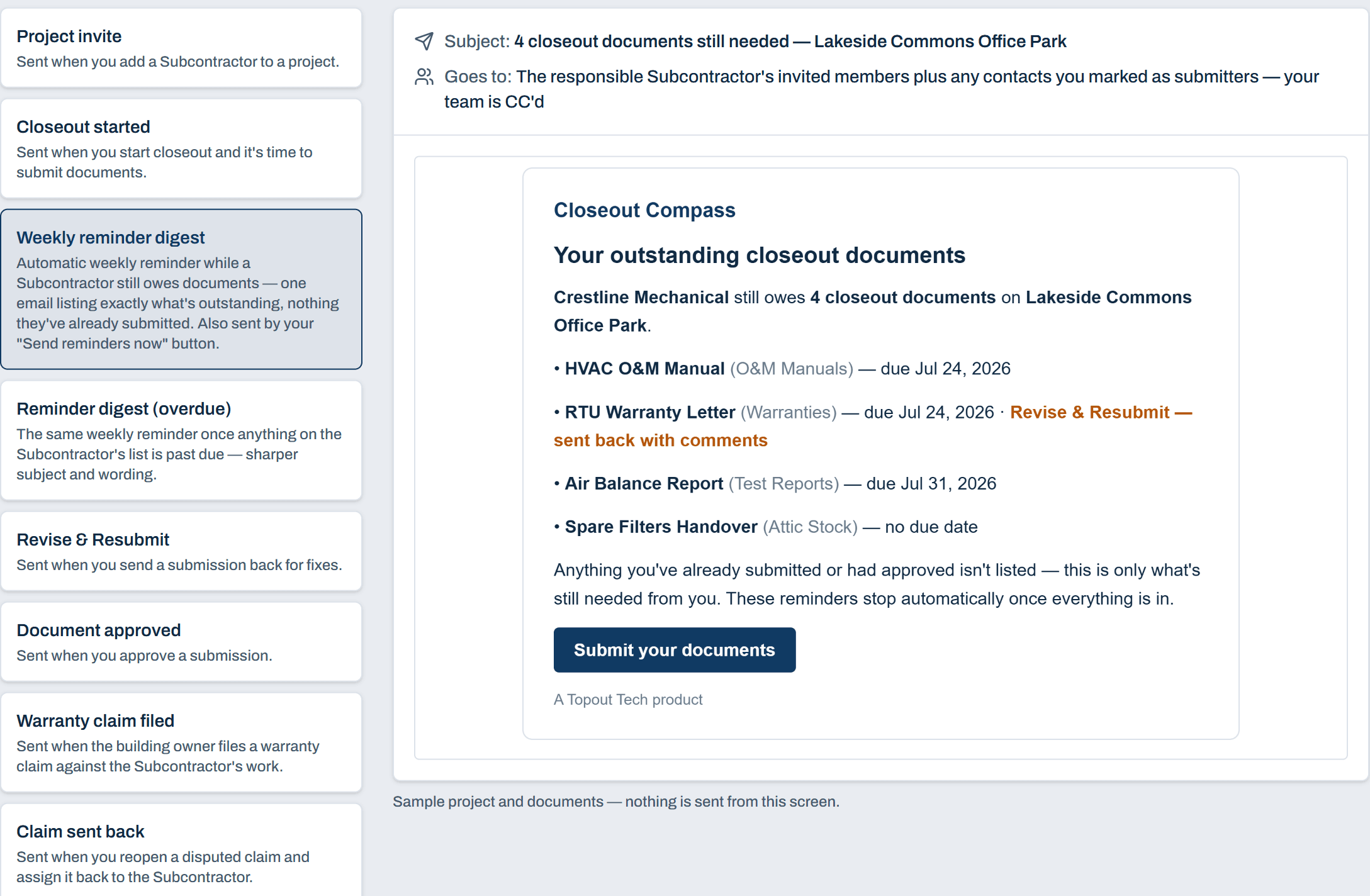
Every email, previewable
What Your Subcontractors Receive
From the first invite to the last warranty claim, every email tells your subs exactly what needs their attention, with one link back into their portal. Preview each one inside the app, rendered by the same templates that send the real thing, so you know what lands in their inbox.
Coming from Pype? Closeout Compass is the standalone alternative.
See the comparison →The Last 2% of the Job Shouldn't Take 20% of Your Time.
See it working on a sample project — a hands-on sandbox, pre-loaded with data, usually within a day.